JuWeiFan
Wang
FX Artist
Week2 Height Field Texture
Update: 6/17/23
Professor's suggestion Base on the week 1 result
Base on the suggestion, I lower the central mountain and add the detail from rocky mountains for reference of sharp peaks
The first one and second one is the mainly reference I followed.


Reference
Process
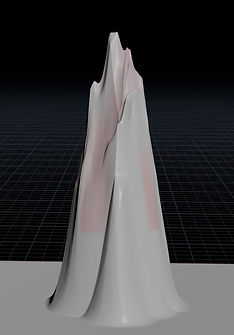
use clip to have base shape

Add details on the mountainside


node(click for detail)
Layer node to add sharp peak


node(click for detail)
Blur the hard edge

Erode again

scale down and convert to geo
Process Part 1
Camera movement
Camera movement setting (shot one)

Camera Rotation

Camera Transform
Sphere animation Setting

Sphere move track
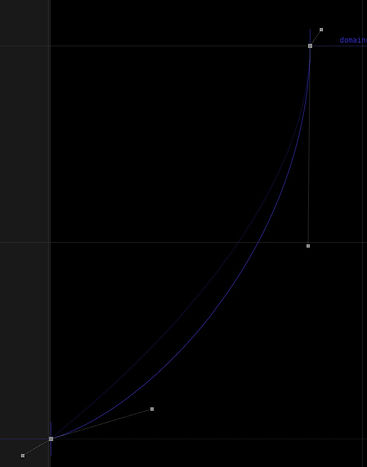
Sphere animation setting
I set the camera and sphere animation like this, because I want the speed of the red ball gradually increases until it hits the mountain. About the camera is exactly the opposite way which can increase the feeling that the sphere is speed up.
Result
The red ball represents the movement trajectory and size of the water god (Afterwards, I will add particles and smoke around him, so he won't be as small and monotonous as he looks)
with camera
without camera
Process Part 2
Height Field Texture mask

check UV is correct
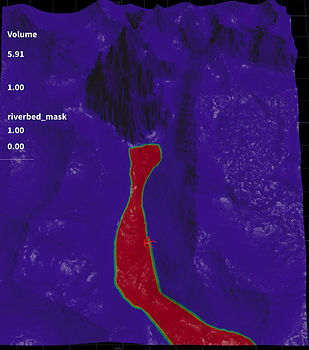
river bed mask
About texture mask I plan create 1.river bed 2. sediment 3. dirt 4. mossy 5. rock 6. snow
At present, this is my plan, and I may make further adjustments based on the actual situation in the future
the river I don't want it has the soft edge and I like what I had, so I use the wrangle to make the soft edge from 0< soft edge < 1 become 1 (the riverbed mask is the attribute that I make)


before

after
Next is to blur the sediment and debris mask from erode node (Remove graininess)

before
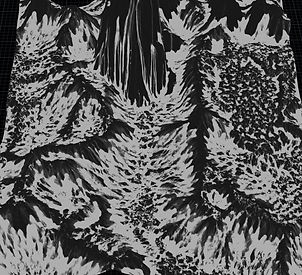
before

after


after
After adjust the different mask I will base on this mask to add my own mask by vop node.
sediment
I use the fit range to make the mask more clear


rock
Determine the distribution of stones texture by calculating the degree of the y-axis of the normal, the central mountain I don't want to include all of that. So I may need to fix that use attribute paint later.

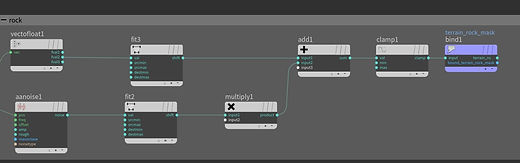
mossy and dirt

mossy

dirt

snow


Right now I finish the mask procedurally, then I will adjust them manually.
after I assign the texture to the height field I will base on the result and reference adjust again.
Manually Adjustment

mossy

dirt

rock

snow
Lighting (Shot one)


overview

shot one
Process Part 2
Height Field Texture
Reference (grass and rock(mountain))


grass and rocks but mainly the grass
base on the reference I found four textures and to see what is the best option (after testing I chose the second one as all the texture's base and first one as the mossy texture)


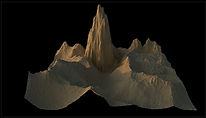
render to check the result (need change uv)

before

after UV scale 35

after UV scale 45

displacement too much

displacement 0.25
Add mossy layer

the first one looks like too green don't look like reference{darker and little bit yellow or grey}(displacement 0.5)

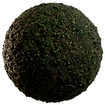
better but little too dark

little too green

Add rock layer


the final one


grass and rocks but mainly the rocks(mountain)


the color is close to the snow


beter
still little white


Final 1


Final 2
for me I like this one, cause it not too yellow and close to the reference


Final 3
I think this one also look great in different style. and also to the reference
meanwhile will make the snow stand out more
I will decide what texture I will use between Final2 and Final3
Add dirt layer
this mask is the transition between the rock and grass


reference is the dark part


too dark
too bright


more natural but still dark


like this feeling but the pattern repeat Too obvious


after try different texture I had to adjust the base layer texture's gamma.
So far, I think this transition is the most natural
Add snow layer
cause the snow is pure white and the distance is far away so the texture is not that important


Add river bed layer
Because the riverbed texture will used in the third shot, In shot one the riverbed is still a hill, so the element about riverbed need to be decrease, but it still need to be look like the riverbed.


the pattern and too dark


Adjust the texture data

after adjust the reflection
Readjust the texture mask

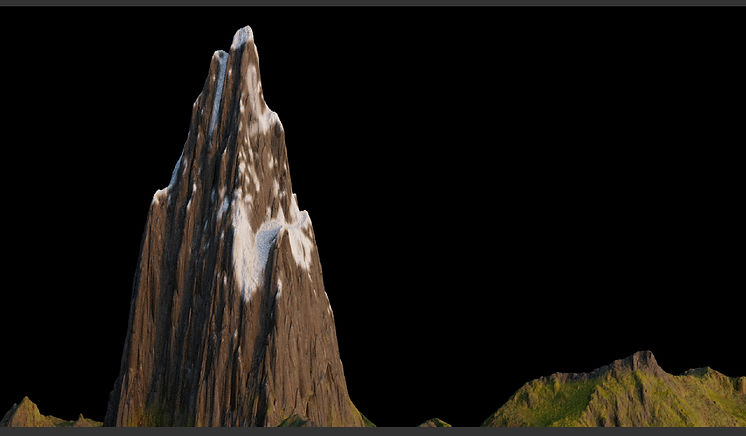
Camera movemrnt
I create another camera movement,
v1
v2
Bibliography
Texture
https://quixel.com/megascans/home?category=surface
(311) Houdini | Motion Path Animation - YouTube
https://www.youtube.com/watch?v=MFg3lB7PCRM
(311) Houdini attribute vop tutorial. LESSON 6 - YouTube
https://www.youtube.com/watch?v=6gLq7HdkM-Y&t=191s
Reference
Part1 mountain shape
https://xsj.699pic.com/tupian/1rhg6b.html
https://www.summitpost.org/le-dru-from-montenvers/261614
https://commons.wikimedia.org/wiki/File:Dent_du_G%C3%A9ant,_2010_July.JPG
Reference2 (grass and rock(mountain))
https://huaban.com/pins/1666901533
http://www.netbian.com/desk/11806-1280x800.htm
https://www.quanjing.com/imgbuy/QJ5100799961.html
Reference3 Rock Layer
https://en.wikipedia.org/wiki/Mount_Triumph
https://adventure.com/queremos-parque-santiago-chile/
https://www.summitpost.org/le-dru-from-montenvers/261614
Reference4 Dirt Layer
https://www.quanjing.com/imgbuy/QJ5100799961.html
https://adventure.com/queremos-parque-santiago-chile/
Next Week
tress and grass modeling or particle and pyro